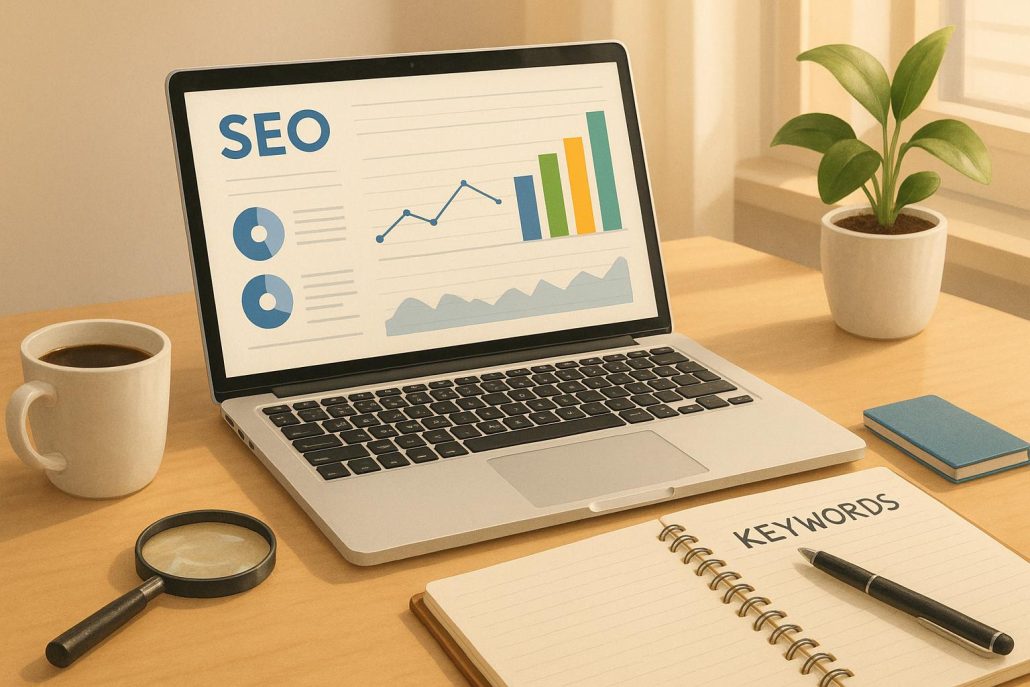
5 SEO Tips to Boost Small Business Rankings
- Research Keywords: Find the exact phrases your customers are searching for, especially long-tail keywords like "best gluten-free bakery in Chicago."
- Optimize Your Website: Improve title tags, meta descriptions, headers, and image alt text to make your site search-engine-friendly.
- Focus on Local SEO: Claim and optimize your Google Business Profile, keep business info consistent, and encourage customer reviews.
- Fix Technical Issues: Ensure your site is mobile-friendly, loads quickly, and meets Google’s Core Web Vitals standards.
- Create High-Quality Content: Write helpful, user-focused content that solves problems and builds trust.
Why it matters:
- 53.3% of website traffic comes from organic searches.
- 46% of Google searches have local intent.
- 76% of nearby mobile searches lead to a visit within a day.
These steps ensure your business stands out, builds trust, and connects with ready-to-buy customers. Start implementing today!
11 SEO Tips to Help Your Small Business Rank in Search | The Journey
1. Research Keywords That Drive Traffic
At the heart of successful SEO is understanding what your audience is searching for online. Keyword research helps you pinpoint the terms potential customers use so you can tailor your website and content to meet their needs.
Start by brainstorming keywords tied to your main services – think "home remodeling", "happy hour specials", or "online shopping." Don’t stop there – ask your current customers how they found you online. Their answers might reveal unexpected search terms you hadn’t considered. Another simple trick? Use Google’s auto-suggest feature. Just type in a relevant term and let Google show you related suggestions.
When researching keywords, focus on factors like search volume, popularity, and user intent. This will give you a clearer picture of what your audience is looking for. Once you have a list, refine your strategy by targeting long-tail keywords for more precise results.
Target Long-Tail Keywords for Better Results
Instead of chasing after broad, highly competitive keywords, small businesses often achieve better results by focusing on long-tail keywords. These are longer, more specific phrases that not only have less competition but also attract users who are closer to making a purchase. In fact, long-tail keywords account for 70% of web search traffic, and 92% of all keywords generate 10 or fewer searches per month.
For example, instead of targeting a generic term like "bakery", consider phrases like "gluten-free cupcakes near downtown" or "wedding cake delivery in [city name]." These searches are more specific and often reflect a user who is ready to act. Long-tail keywords are also a great match for voice search, where people use natural, conversational language – think "best bakery for birthday cakes near me."
To find effective long-tail keywords, add layers of detail to your main category terms. If you’re a trucking company, start with "shipping" and narrow it down to phrases like "logistics services" or "freight delivery." Then, refine further with terms like "same-day freight delivery in [city]" or "refrigerated shipping for small businesses."
Use Free Keyword Research Tools
Once you’ve identified your keywords, free tools can help you validate and expand your list.
- Google Keyword Planner: A go-to tool for many, especially if you’re running Google Ads. It provides search volume estimates and competition levels.
- WordStream‘s Free Keyword Tool: This tool offers hundreds of relevant keyword suggestions, along with details like competition levels and estimated cost-per-click.
- AnswerThePublic: Perfect for finding question-based keywords. While the free version has limitations, it’s still a great starting point for small businesses. Paid plans begin at $11/month.
- Google Trends: A completely free tool that helps you identify seasonal trends and compare interest in search terms over time.
- Ryan Robinson’s Free Keyword Research Tool: This tool highlights ranking difficulty and suggests useful long-tail keywords. As Ryan Robinson explains, the best keywords for bloggers often have medium search volume and low difficulty.
- Moz Keyword Explorer: Offers 10 free queries per month with clear, easy-to-digest data.
- Semrush: Their free plan includes up to 10 analytics reports daily and allows you to track 10 keywords, making it a robust option for keyword research.
Strong keyword research lays the groundwork for the on-page optimization strategies we’ll dive into next.
2. Optimize Your Website Pages for Search Engines
After identifying your target keywords, it’s time to optimize your website pages to help them rank better. This process, known as on-page SEO, focuses on fine-tuning specific elements on each webpage so search engines can understand your content and decide why it deserves a higher spot in search results.
The good news? Many of these tweaks are straightforward and don’t require advanced technical expertise. By honing in on title tags, meta descriptions, headers, and image optimization, you can improve your site’s visibility without breaking the bank.
Write Better Title Tags and Meta Descriptions
Your title tags and meta descriptions are like your site’s first impression in search results – they can make or break whether someone clicks on your link. These elements influence rankings, click-through rates, and overall visibility.
Title tags are HTML elements that tell search engines and users what your page is about. Google typically displays up to 60 characters of a title tag, so every word counts.
- Place your primary keyword at the beginning of the title tag.
- Keep titles between 55-60 characters to ensure they display correctly – 90% of titles under this limit show up properly in search results, according to Moz.
- Use separators like pipes (|) to keep titles clean and professional.
For example, instead of a generic title like "Welcome to Our Bakery", go with something like:
"Gluten-Free Wedding Cakes | Downtown Bakery | Chicago."
This version includes the main keyword, location, and brand name while staying within the character limit.
Meta descriptions, while not a direct ranking factor, play a key role in enticing users to click. A strong meta description should include your brand, primary keyword, location, and a clear call to action. Aim for 150-160 characters.
Here’s an example:
"Order fresh gluten-free wedding cakes in downtown Chicago. Custom designs, same-day delivery available. Call (555) 123-4567 for a free consultation!"
Each meta description should be unique across your site. If you’re short on time, prioritize your most important pages first. As Google advises:
"If you don’t have time to create a description for every single page, try to prioritize your content; at the very least, create a description for the critical URLs like your home page and popular pages."
Once your title tags and meta descriptions are polished, focus on refining your content structure with headers and alt text to improve both usability and rankings.
Structure Content with Header Tags and Alt Text
A well-organized header structure not only improves readability but also helps search engines understand your content. Header tags (H1, H2, H3, etc.) create a logical flow, making your page easier to navigate for both users and search engines.
Google’s John Mueller has noted that headers are a "really strong signal" for understanding a page’s topics. Use your H1 tag as the main title of the page – stick to one H1 per page for clarity. H2 tags can act like chapter titles, while H3 through H6 tags can serve as subsections. This hierarchy breaks up long text blocks and makes your content more scannable.
When crafting headers, naturally weave in your target keywords, but avoid forcing them in unnaturally. Focus on creating engaging and descriptive headers that invite readers to explore further. For instance, instead of a bland header like "Services We Offer", try something more compelling:
"Custom Wedding Cakes That Make Your Day Unforgettable."
Header optimization can even help you snag featured snippets – the answer boxes at the top of search results. In April 2024, Search Engine Journal secured a featured snippet for "How to remove default search engine in Chrome?" thanks to a well-optimized H2.
Alt text for images is another essential element that often gets overlooked. Alt text serves two purposes: it helps visually impaired users understand your images and aids search engines in interpreting them. This can boost your chances of ranking in Google Images and other image searches.
When writing alt text, keep it concise and descriptive. The Web Accessibility Initiative suggests making alt text "the most concise description possible of the image’s purpose". Naturally include relevant keywords, ensuring clarity and usefulness without resorting to keyword stuffing.
Google advises:
"When writing alt text, focus on creating useful, information-rich content that uses keywords appropriately and is in context of the content of the page. Avoid filling alt attributes with keywords (also known as keyword stuffing) as it results in a negative user experience and may cause your site to be seen as spam."
For example, instead of something like "cake cake wedding cake bakery", a better alt text would be:
"Three-tier white wedding cake with pink roses and gold accents displayed on marble table."
This description is clear, relevant, and naturally incorporates keywords.
For purely decorative images that don’t add meaningful context, leave the alt attribute empty to create a smoother experience for screen reader users.
With these on-page optimizations in place, you’ll be well-prepared to dive into local SEO strategies that attract customers in your area.
3. Use Local SEO to Attract Nearby Customers
Local SEO is a game-changer when it comes to bringing in nearby customers who are ready to act. Think about it – when someone searches for "coffee shop near me" or "electrician in Houston", your business should be front and center in those results. Local SEO ensures you’re visible to people who are actively looking for what you offer.
To make the most of local SEO, focus on two key areas: optimizing your Google Business Profile and managing local citations and customer reviews effectively.
Set Up and Optimize Your Google Business Profile
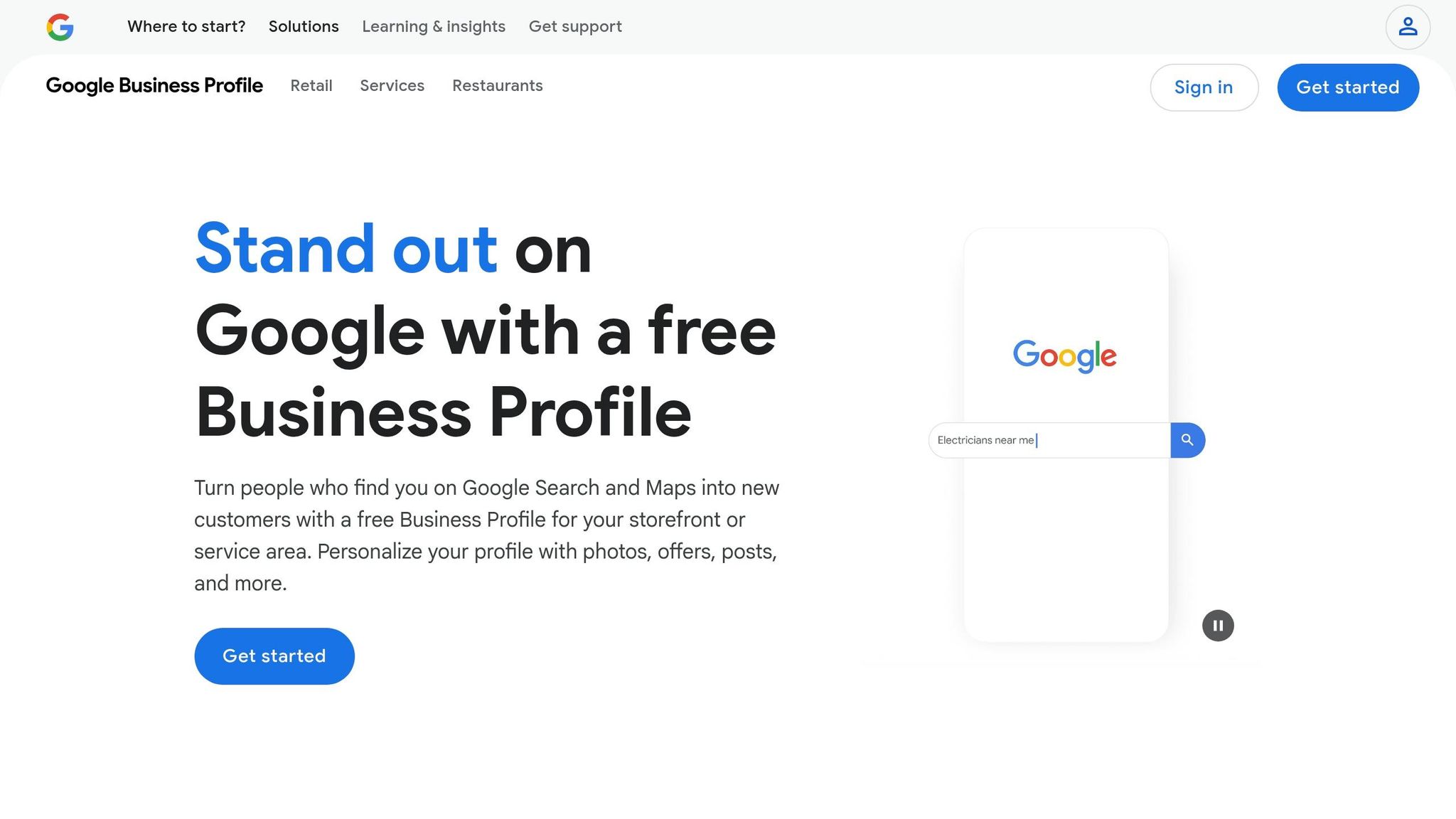
Your Google Business Profile is your digital storefront. It’s what people see when they search for your business or related services, displaying essential details like your address, hours, photos, and reviews. A well-optimized profile not only boosts your visibility but also engages potential customers. In fact, 84% of Google Business Profile views come from discovery searches – where users find your business while searching for a service or product.
If you haven’t already, claim your profile on Google and fill out every section completely. Google’s algorithm considers factors like proximity, relevance, and the quality of the information when ranking profiles. Make sure your business name matches your signage, and keep your NAP (name, address, phone number) consistent across all platforms. Use the full 750-character limit in the description to highlight what makes your business stand out.
Photos are a powerful tool to grab attention. Businesses with over 100 photos see a massive increase in engagement: 520% more calls, 2,717% more direction requests, and 1,065% more website clicks compared to the average business. Regularly upload a variety of images, including your logo, interior and exterior shots, team photos, and pictures of your products or services in action.
Stay active by updating your hours, posting announcements, and sharing events or special offers. Enable messaging so customers can reach you directly, and monitor the Q&A section to address questions quickly. Also, choose specific primary and secondary categories that accurately describe your business so Google can match you with the right searches.
Once your profile is in great shape, focus on building a strong online presence through local citations and review management.
Strengthen Local Citations and Customer Reviews
Local citations – mentions of your business’s name, address, and phone number online – act as trust signals for search engines. They help verify your business and improve your ranking in local searches. According to a study by Uberall, businesses listed on more than 10 sites saw an 80% jump in visibility and a 67% increase in customer actions. Those listed on over 30 sites experienced a 136% rise in consumer actions.
Start by auditing your existing citations to ensure your NAP details are consistent everywhere, from directories to social media profiles. Focus on high-quality directories relevant to your industry and location, and don’t overlook mentions on blogs, local news sites, or social media.
Customer reviews are just as critical. A staggering 98% of people read online reviews for local businesses, and nearly half trust them as much as personal recommendations. Plus, more than a third of consumers won’t even consider a business with fewer than four stars. The good news? Most customers are willing to leave a review if you ask – 62% will do so when prompted. Make it easy by creating a shortcut link through your Google Business Profile and sharing it via email, text, or even QR codes during in-person interactions.
Responding to reviews is equally important. Nearly 90% of consumers are more likely to choose a business that replies to all reviews. Thank customers for positive feedback and address negative reviews professionally and promptly. This not only improves your reputation but also supports your overall SEO efforts. For instance, one clothing and footwear company turned its average rating around from 1 star to 4.2 stars simply by engaging with negative reviews.
Keep an eye on review platforms and share glowing reviews on your website and social media channels. Remember, 85% of people consider star ratings when making decisions, and 73% value recent reviews. Maintaining an active review strategy isn’t just a good idea – it’s essential for staying competitive.
A strong local SEO foundation paves the way for even more advanced strategies.
4. Fix Technical SEO Issues for Better Performance
Technical SEO is all about making your website function seamlessly for both visitors and search engines. Issues like slow loading speeds or clunky navigation can drive potential customers away before they even engage with your content. To avoid this, prioritize two key areas: making your site mobile-friendly and improving overall site speed. These efforts go hand in hand with the on-page SEO strategies we’ve already covered, ensuring your site performs at its best.
Make Your Website Mobile-Friendly
Optimizing your site for mobile devices is no longer optional – it’s essential. Mobile traffic made up 60.67% of all web traffic in 2024, and by 2021, 63% of search engine visits came from mobile devices. With Google now using mobile-first indexing, it evaluates your site’s mobile version first when determining rankings. A mobile-friendly site doesn’t just help with rankings; it can increase the likelihood of purchases by 67% and boost the chances of users returning by 74%. On the flip side, nearly half of all users will abandon a mobile site if it takes more than three seconds to load.
To check how your site performs on mobile, use Google’s Mobile-Friendly Test. If it’s not up to par, start by implementing a responsive design that adapts your layout, images, and navigation to various screen sizes. Make sure your text is easy to read (at least 16 pixels) and interactive elements, like buttons, are large enough – 48×48 pixels is a good benchmark. Adding the viewport meta tag <meta name="viewport" content="width=device-width, initial-scale=1.0"> ensures your site displays properly across devices.
Simplify navigation with clear menus and concise calls to action, and break up your content into short, scannable sections. Compress images using formats like WebP to speed up load times. Don’t forget to secure your site with HTTPS by installing an SSL certificate. Research shows that 68% of businesses saw increased sales after developing mobile-first websites, proving that mobile optimization is a smart investment.
While mobile-friendliness is crucial, your site’s overall speed is just as important for keeping users engaged.
Speed Up Your Website and Improve Core Web Vitals
Website speed plays a major role in user experience and SEO rankings. Meeting Core Web Vitals – Google’s metrics for page performance – can lower the chances of users abandoning your site by 24%. These metrics focus on three things: how quickly a page loads, how fast users can interact with it, and whether the layout stays stable during loading. On average, mobile pages take 87.84% longer to load than desktop pages, making optimization even more critical.
Start by compressing and resizing images, and use modern formats like WebP to reduce load times. Make sure to specify image dimensions to avoid layout shifts. Interestingly, 66% of pages have at least one unsized image, which can slow down loading and disrupt the user experience.
Enable browser caching to speed up repeat visits, and clean up your CSS and JavaScript by removing unnecessary code. Lazy loading can be helpful for non-critical scripts, while a Content Delivery Network (CDN) ensures faster access by serving your site from servers closer to users.
To optimize the Critical Rendering Path, inline your essential CSS and preload key resources. Use resource hints, such as fetchpriority, to make sure important elements load quickly. Improve server response times by hosting critical resources on the same domain and avoid lazy loading visuals that impact your Largest Contentful Paint (LCP). For faster rendering, consider using standard JPEGs instead of progressive JPEGs.
Streamline your code and remove unused plugins to reduce your DOM size, which can also enhance performance.
"Weigh the balance between monetization and performance. If users are dropping off earlier due to a poor experience, then those extra ads may be costing you more revenue than they are adding." – Barry Pollard
Tools like WebPageTest can help you evaluate your site’s speed, while Google Search Console is great for tracking your Core Web Vitals over time. These technical improvements can significantly enhance your website’s overall performance.
sbb-itb-0a5855c
5. Create High-Quality Content That Ranks
Creating content that ranks well goes beyond stuffing your articles with keywords. Search engines today focus on content that genuinely helps users solve their problems. That means your content needs to be useful, engaging, and aligned with what people are searching for.
High-quality content works hand in hand with on-page and technical SEO to secure long-term visibility. To achieve this, aim to write naturally, use keywords strategically, keep your formatting clean, and ensure your content stays updated. With only 0.63% of Google Search users clicking on results from the second page, it’s clear that standing out on page one is critical.
Build Authority with EEAT Content
To build authority, your content should reflect expertise, experience, authoritativeness, and trustworthiness – what Google refers to as E-E-A-T. This framework helps Google evaluate content quality, and it’s a key factor in earning both user trust and higher rankings.
Here are some ways to establish authority:
- Highlight credentials and relevant experience in author bios.
- Use real-world examples, case studies, and data to back up your claims.
- Provide clear contact information and transparent business practices.
Create in-depth material that goes beyond surface-level advice. Support your points with reliable data and statistics from trusted sources. Participating in industry events or collaborating with other experts can also signal credibility to both search engines and readers.
Google emphasizes "people-first content", which means prioritizing the needs of your audience over search engine algorithms. As Google puts it:
"People-first content means content that’s created primarily for people, and not to manipulate search engine rankings."
Focus on solving your audience’s problems and answering their questions, rather than overloading your content with keywords. Once you’ve established authority, adding structured data, like FAQ schema, can further enhance your visibility.
Add FAQ Schema for Voice Search Results
FAQ schema markup is a powerful way to increase your content’s visibility in featured snippets and voice search results. This type of structured data tells search engines exactly what questions your content answers, making it more likely to appear prominently on results pages.
Voice search is becoming increasingly popular, thanks to smart speakers and mobile voice assistants. To tap into this trend, identify the most frequent questions your audience asks – whether through direct inquiries, social media, or keyword research – and craft clear, conversational answers.
When creating FAQ content, keep these tips in mind:
- Write concise but complete answers that reflect natural, conversational language.
- Focus on questions with local intent, especially if you’re a local business. For example, queries like "What are your business hours?" or "Do you offer free consultations?" are perfect for FAQ markup.
Once your FAQ schema is in place, test it using Google’s Rich Results Test tool to ensure everything works as intended. Then, monitor your content’s performance to see if you’re landing in featured snippets or gaining better visibility for question-based searches. This small effort can make a big difference in how your content stands out in search results.
Conclusion: Build Long-Term SEO Success
A well-rounded SEO strategy isn’t just a short-term fix – it’s a long-term commitment to keeping your business visible and trustworthy online. The five strategies we’ve covered work together to create a strong foundation for your small business’s online presence. From selecting the right keywords to refining your local listings and producing high-quality content, each step complements the others to steadily improve your search rankings.
Consistency is the secret ingredient. As Michael Fox, a Forbes Councils Member, aptly states:
"SEO is an ongoing practice that never ends…by staying consistent with your dedication to SEO, your brand visibility will soar. SEO is a long game. Your marketing is a constant, and SEO is the heart of marketing".
Search engines reward websites that consistently demonstrate reliability and authority. With 77% of Americans relying on search engines weekly to find local businesses and Google managing 92.4% of global search queries, your consistent SEO efforts significantly influence your ability to connect with potential customers. Keeping your business information accurate and consistent strengthens your local visibility.
Start small – implement these strategies step by step. Use tools like Google Analytics and Search Console to measure your progress, knowing that results often take 3-6 months to surface. Each improvement you make, whether it’s optimizing content, enhancing technical performance, or updating local listings, adds to your site’s authority.
Jean-François Monfette from BDC emphasizes the importance of aligning your website with customer needs:
"You need to match your website to what your potential customers are looking for. You want to be providing helpful information. So, if they have a certain problem, you are providing a solution".
FAQs
How can I find and use long-tail keywords to improve my small business’s SEO?
Long-tail keywords are those detailed, specific phrases people search for when they’re closer to making a purchase or decision. Instead of targeting a broad term like shoes, zero in on something more precise, such as best running shoes for flat feet. These keywords tend to have less competition and align more closely with what users are actually looking for, which can result in better conversion rates.
To uncover these keywords, you can turn to keyword research tools or pay attention to the common questions your audience asks. Another smart move is analyzing competitor content to identify gaps in their keyword strategy. Once you’ve pinpointed the right long-tail keywords, weave them naturally into your website copy, blog posts, and product descriptions. This approach can boost your search engine rankings and attract more focused, ready-to-act traffic.
How can I optimize my Google Business Profile to improve local SEO for my small business?
How to Boost Local SEO with Your Google Business Profile
Start by ensuring your business details – like your name, address, phone number (NAP), and operating hours – are accurate and consistent everywhere they appear online. This consistency isn’t just about avoiding confusion; it also builds trust with search engines and potential customers.
Take your profile to the next level by adding high-quality photos, responding quickly to customer reviews, and sharing regular updates or promotions through Google Posts. Be sure to choose the most relevant primary and secondary categories for your business. You can also include attributes that highlight your services or any unique features your business offers. These small but impactful steps can make your profile more appealing and help draw in more local customers.
How do mobile-friendliness and site speed affect search engine rankings?
The Importance of Mobile-Friendliness and Site Speed
When it comes to boosting your website’s search engine rankings, mobile-friendliness and site speed are game changers.
A mobile-friendly website ensures that users on smartphones and tablets have a smooth browsing experience. This translates to more engagement and longer visits – two things search engines pay close attention to when determining rankings.
On the other hand, site speed is just as crucial. Nobody likes waiting for a slow page to load. Faster websites not only make visitors happier but are also favored by search engines, as speed is a direct ranking factor. Slow-loading pages can lead to higher bounce rates, which can hurt your rankings.
Focusing on these technical aspects of SEO can make a big difference in how well your website performs in search results.

