
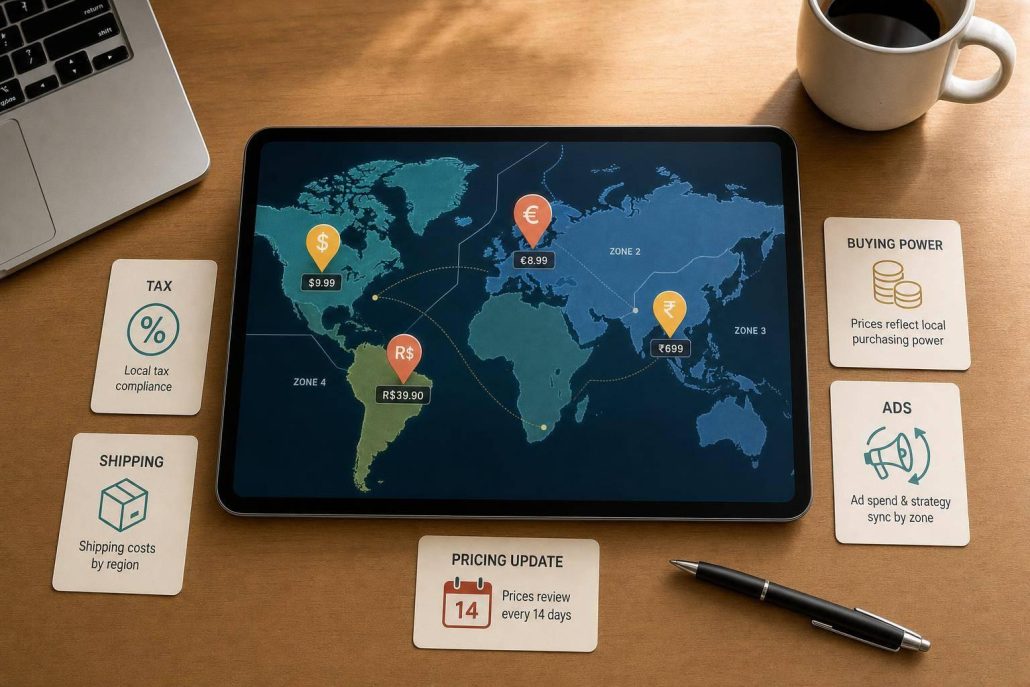
GEO pricing
If I charge the same price everywhere, I usually leave money on the table or lose sales. GEO pricing fixes that by setting prices by location based on demand, competition, taxes, shipping, and local costs.
Here’s the short version:
- I use regional or zone pricing when shipping costs change by area.
- I use country-level pricing when taxes, duties, and currency affect margin.
- I use tiered pricing for services, software, and subscriptions where local buying power changes.
- I test each market before rolling changes out too far.
- I keep ads, landing pages, checkout, and price in sync so buyers don’t see mixed messages.
A few numbers show why this matters:
- RV site rates in 2026 ranged from $44.00 in North Dakota to $109.00 in Delaware.
- ZIP-code and neighborhood ad targeting can cut cost per click by 25% to 45%.
- Using both market-level pricing and localized marketing can drive an 8% to 35% lift.
What I take from that is simple: one price rarely fits every market. The best setup is usually to start with 5 to 6 pricing zones, build rules with ZIP code, billing address, shipping address, or IP, then track conversion rate, average order value, refund rate, and ROAS by location.
Geographical Pricing: Definition, How Strategy Works, and Example
sbb-itb-0a5855c
Quick comparison
| Model | Best fit | What drives the price | Work level |
|---|---|---|---|
| Regional/Zone | Physical goods | Shipping distance, demand by area | Low |
| Country-Level | Cross-border sales | Duties, taxes, currency, landed cost | High |
| Tiered GEO | Services and subscriptions | Buying power, local competition | Medium |
| Dynamic GEO | Travel, rentals, short-booking markets | Daily demand shifts, local events | High |
If I were starting today, I’d keep it simple: set a base price, group markets into a few zones, test for 14 days, and adjust from the numbers.
GEO Pricing Models Small Businesses Can Use
Pick the pricing model that fits your sales footprint, cost base, and how much room you have to adjust prices. The main issue is simple: how much do your costs and demand change from place to place? Your market reach and day-to-day capacity will point you to the best setup.
Regional, Country-Level, and Zone Pricing
Regional pricing groups big geographic areas together and gives each group one price. For U.S. businesses, a common setup uses 5–6 regional clusters: Northeast, Southeast, Midwest, Southwest, Pacific Northwest, and California. This model is a good fit for physical products when shipping costs and regional demand differ from one part of the country to another.
Country-level pricing goes a step further. It accounts for taxes, duties, distribution costs, and currency shifts. Use it when those cross-border factors create clear price differences between countries.
Zone pricing lands in the middle. You group places with similar demand and cost patterns into one zone, then set pricing for that zone. That way, you don’t have to make a separate price for every city or state.
Tiered Geographic Pricing for Services and Subscriptions
Tiered GEO pricing sets prices based on purchasing power, local competition, and cost of living. It works well for services and subscriptions when you need to stay competitive in markets where income levels vary.
The table below shows where each model tends to fit and how much work it adds.
| Model | Best Use Case | Setup Difficulty | Data Needed | Customer Visibility |
|---|---|---|---|---|
| Regional/Zone | Shipping & logistics optimization | Low | Shipping zones, regional demand | High (clear shipping tiers) |
| Country-Level | International market entry | High | Landed costs, VAT/GST, HS codes | Moderate (localized storefronts) |
| Tiered GEO | Services, subscriptions, digital products | Moderate | Purchasing power, local competition | Low (segmented by market) |
| Dynamic GEO | Short-term rentals, travel | High | Real-time demand, local events | Low (prices fluctuate daily) |
A simple rule of thumb:
- Start with regional or zone pricing for physical goods
- Use tiered GEO pricing for services and subscriptions
- Save country-level pricing for cross-border sales
Factors That Should Drive GEO Pricing Decisions
Once you’ve picked a pricing model, the next job is setting the right price in each region. In practice, that comes down to three inputs: demand, costs, and competition.
Demand, Competition, and Local Willingness to Pay
Local demand tells you how much people in a market are willing to pay. Watch for seasonal travel patterns, booking pace, and event-driven spikes when those signals fit your business. If you have enough data, price sensitivity analysis can show how much local buyers react to price changes and where a higher price can still hold.
Competition matters just as much. Keep an eye on competitor price tiers, market share trajectory, and customer ratings in each market to see whether you can support a premium or need a lower price. A price cut from a competitor doesn’t always mean you should follow. If their ratings are weak, matching that lower price may just eat into margin without helping you win better customers.
The gap between markets can be big, so market-level data matters.
Then look at those signals again after taxes and fulfillment costs are added.
Taxes, Shipping, and Operating Costs
Your total cost should be part of every GEO pricing call. That includes unit price, shipping, local taxes, duties, and inventory holding costs. For U.S. sellers, state-specific taxes can shrink margin fast, and five states have no state sales tax: Alaska, Delaware, Montana, New Hampshire, and Oregon.
Shipping adds another layer. Distance in miles and package weight in pounds both affect cost. Dimensional weight can matter too, especially for large, lightweight items. A box may not weigh much, but carriers can still charge more if it takes up too much space. Local labor costs can also change margins from one market to another.
| Factor | Pricing Benefit | Complexity Added |
|---|---|---|
| Local demand / what customers will pay | Capture more margin where customers are less price-sensitive | Requires demand and sensitivity data |
| Competitor pricing | Stay competitive without over-discounting | Needs ongoing monitoring |
| State & local sales tax | Protect margins after taxes | Varies by state and locality |
| Shipping distance & weight | Reflect true fulfillment cost per zone | Dimensional weight can raise rates |
| Local labor / operating costs | Account for service delivery cost differences | Varies a lot by market |
How to Group Locations Into Pricing Zones
Pricing every city or state on its own is a headache. A better approach is to group locations with similar cost profiles and demand levels into a small set of pricing zones.
A good zone setup usually groups places by:
- Shared shipping costs
- Competitor density
- Demand patterns
That keeps pricing easier to manage without losing the logic behind it.
Use these factors to build zone rules in the next step.
How to Set Up GEO Pricing Step by Step
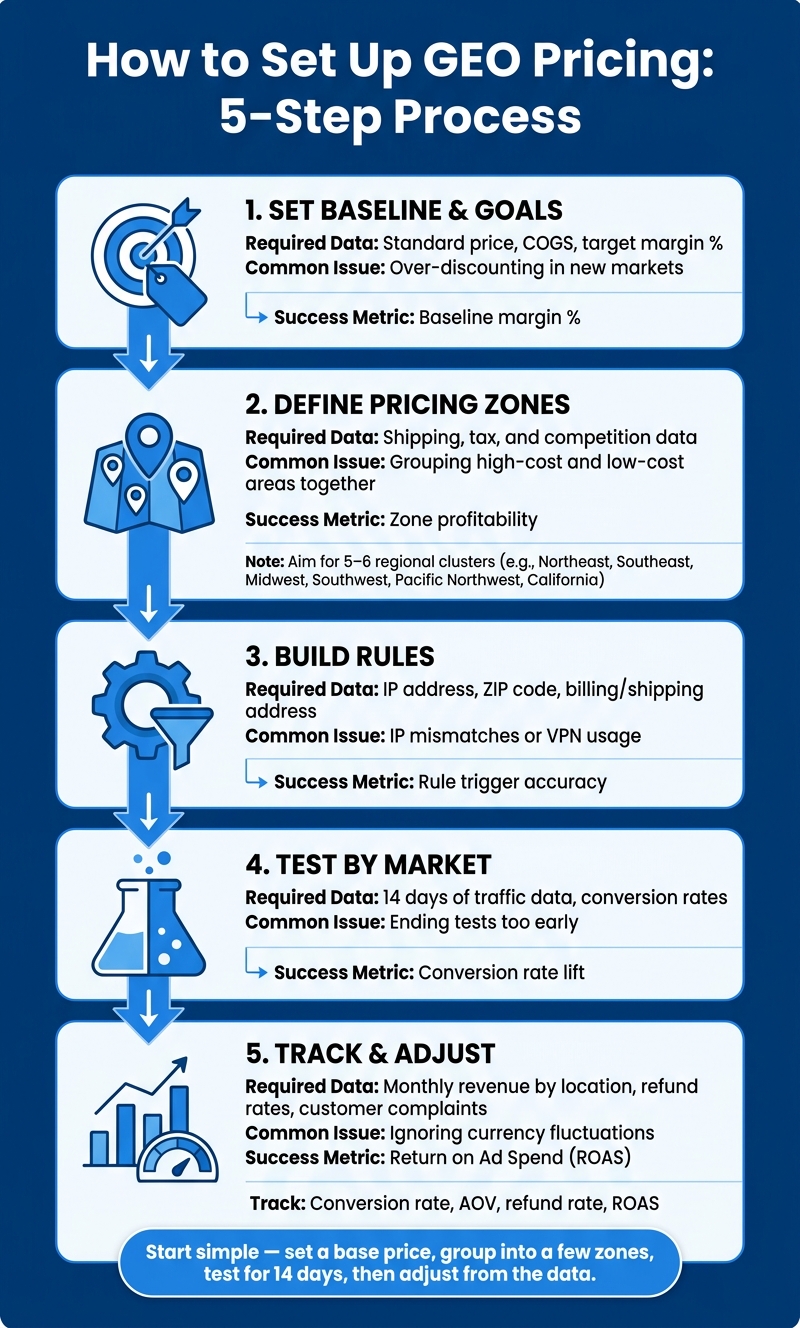
GEO Pricing Setup: 5-Step Process for Location-Based Pricing
Here’s a practical five-step process for putting GEO pricing into action. The idea is simple: take your zones and cost drivers, then turn them into prices customers can actually see.
| Step | Required Data | Common Issue | Success Metric |
|---|---|---|---|
| 1. Set Baseline & Goals | Standard price, COGS, target margin % | Over-discounting in new markets | Baseline margin % |
| 2. Define Pricing Zones | Shipping, tax, and competition data | Grouping high-cost and low-cost areas together | Zone profitability |
| 3. Build Rules | IP address, ZIP code, billing/shipping address | IP mismatches or VPN usage | Rule trigger accuracy |
| 4. Test by Market | 14 days of traffic data, conversion rates | Ending tests too early | Conversion rate lift |
| 5. Track & Adjust | Monthly revenue by location, refund rates, customer complaints | Ignoring currency fluctuations | Return on ad spend (ROAS) |
Set a Baseline Price and Define Your Pricing Goals
Your baseline price is your standard price. It’s the starting point for every regional change.
Before you change prices by location, get clear on the goal. Are you trying to protect margin in high-cost states? Improve conversions in price-sensitive markets? Grow lead volume in a new region? That choice matters because it shapes how far you push the price.
If your goal is margin protection, smaller discounts and tighter guardrails usually make more sense. If you’re entering a new market, a lower regional price may make sense at the start. Pick the goal first. Then set the price to match it.
For markets outside your home base, build pricing from landed cost: COGS + shipping + duties + taxes + fulfillment fees + local marketing.
Build Rules, Test by Market, and Track Results
Once the goal is set, build clear rules so the right buyer sees the right price. Common signals include billing country, shipping address, ZIP code, and IP address. IP-based rules help with fast detection, but VPN use can throw them off.
Then test each new regional price with a 14-day A/B test. After that, review the numbers by location:
- Conversion rate
- AOV
- Refund rate
- ROAS
If refund rates climb after a price increase in one region, that’s a red flag. It usually means that market may not support the new price.
Apply GEO Pricing Across Your Website, Checkout, and Campaigns
Keep pricing and offers aligned across your site, checkout, and ads. If the ad says one thing and the landing page shows another, people notice fast.
Match the price, offer, landing page, and ad copy by market so the customer gets one clear message. That same consistency should carry through your landing pages and ad targeting.
GEO Pricing in Digital Marketing and Next Steps
Match Offers, Landing Pages, and Ad Targeting to Local Markets
Once you set location-based prices, the rest of the funnel needs to follow the same logic. Your ad targeting, landing pages, and price position should match each market. If the ad says one thing, the page shows another, and checkout feels generic, GEO pricing starts to fall apart. The ad, landing page, and checkout all need to reflect the same local market.
Going past broad city targeting and getting down to the neighborhood or ZIP code level can cut cost per click by 25% to 45% while keeping intent high. On top of that, localized ad creative can improve conversion even if you don’t touch backend pricing.
Here’s a simple look at the tradeoffs:
| Strategy | Conversion Impact | Operational Complexity | Risk of Customer Confusion |
|---|---|---|---|
| Catalog Pricing Only | Moderate; aligns price with local purchasing power | High; requires landed-cost math and tax compliance | Moderate; price differences without local context can alienate buyers |
| Ads Only | High; localized messaging and imagery can lift CTR | Low; segment ad sets without changing backend pricing | High; a mismatch between the ad and landing page can create message mismatch |
| Both Together | Maximum; can deliver an 8% to 35% lift by closing the visual and price gap | Very high; requires coordination between pricing, creative, and marketing systems | Low; provides a seamless, localized experience |
If you want a low-risk place to start, begin with marketing. Test one region first, run localized creative, and only roll out price changes after that market shows a solid response.
Key Takeaways for Setting Location-Based Prices
GEO pricing works best when it’s built on actual market inputs: local demand, competition, purchasing power, taxes, and fulfillment costs. Keep your pricing zones simple. In most cases, 5 or 6 clusters are much easier to manage than a 50-state patchwork.
Track performance by location with metrics like:
- Conversion rate
- AOV
- Bounce rate
- ROAS
When pricing and marketing move together – same offer, same message, same price – location-based pricing tends to improve fit, margin, and conversion across each market you serve.
FAQs
How do I choose the right GEO pricing model?
Start with market research to spot clear regional clusters instead of using a one-size-fits-all approach. Group areas by ZIP code, metro area, or county based on purchasing power, local competition, and operating costs.
Then set prices with a balance between profit and local factors like taxes, shipping, and willingness to pay. Use competitive benchmarking, and watch regional KPIs such as conversion rates and average ticket prices so you can fine-tune the plan as results come in.
What data should I use to set local prices?
Use multiple data points, not guesswork, to understand each region’s market.
Look at internal metrics like lead costs, conversion rates, and average order value by ZIP code or region. Then layer in demographic data such as household income, property values, and housing age. After that, account for competitor pricing, customer ratings, taxes, permitting, shipping, and customs costs.
How can I test GEO pricing without confusing customers?
Test GEO pricing in small steps, and set clear guardrails based on competitor benchmarks, like regional price bands. That gives each market a sensible range, so price changes don’t feel random or out of sync.
To cut friction, run small, structured tests with specific cohorts instead of rolling out sudden, broad changes. Back those pricing moves with real-time market data, including local demand, competitor activity, and purchasing power, so any differences make sense in context and match what buyers in each market expect.
